

How evaluations work
-
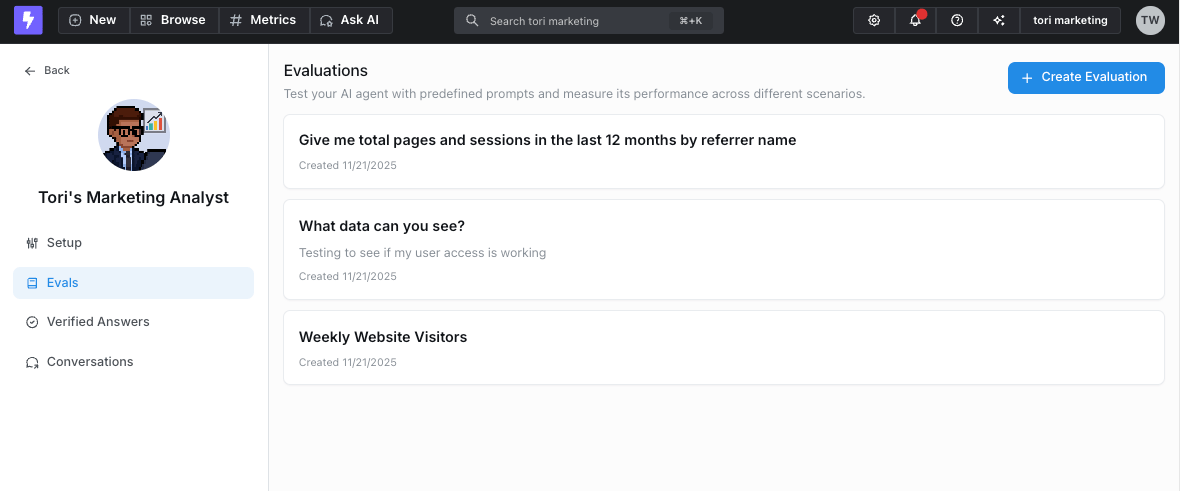
Define evaluation questions - Build a set of test questions for each agent. You can either:
- Manually create questions that represent common use cases
-
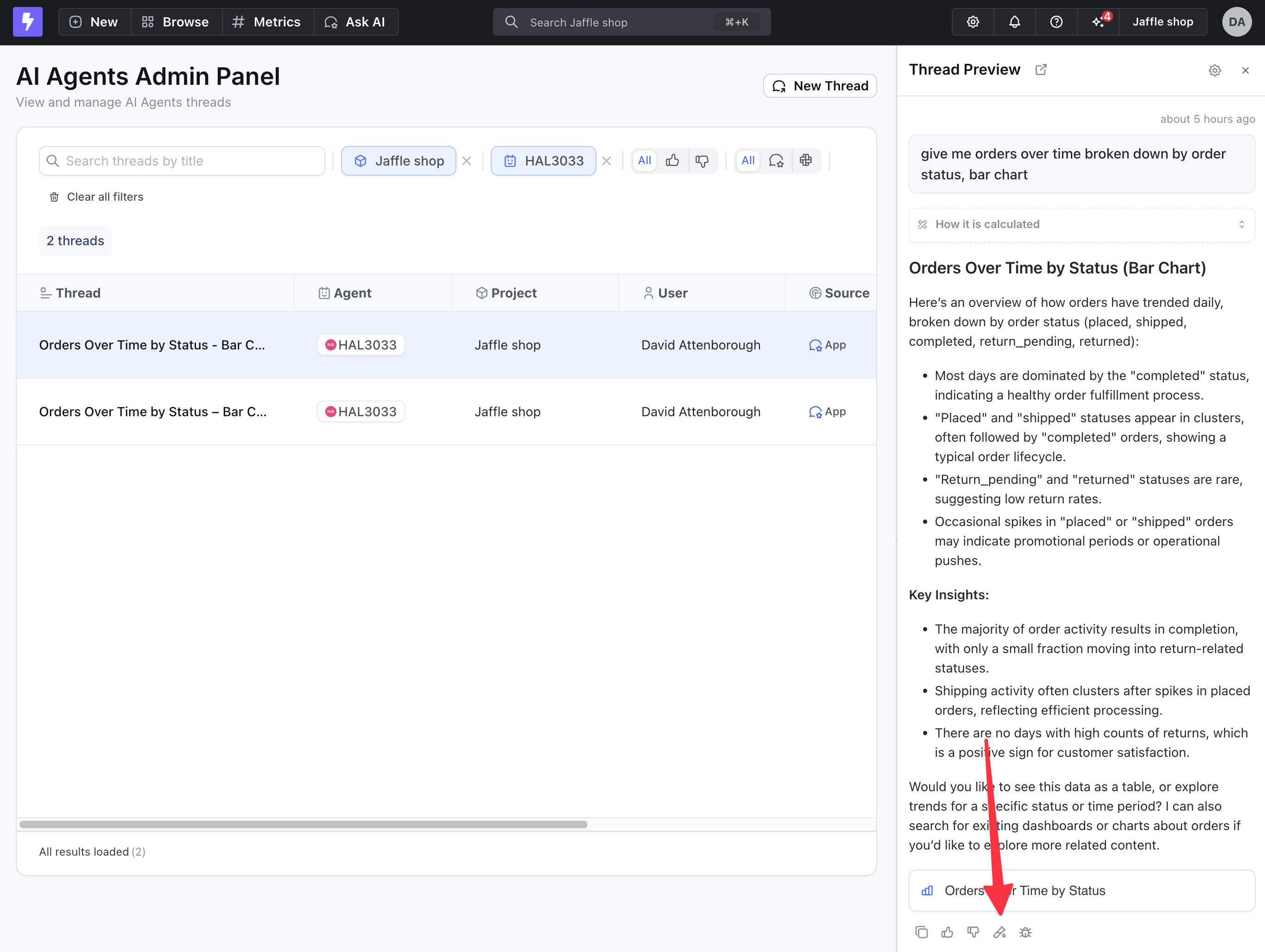
Select responses from existing agent conversations in the Threads tab to add to your evaluation set
-
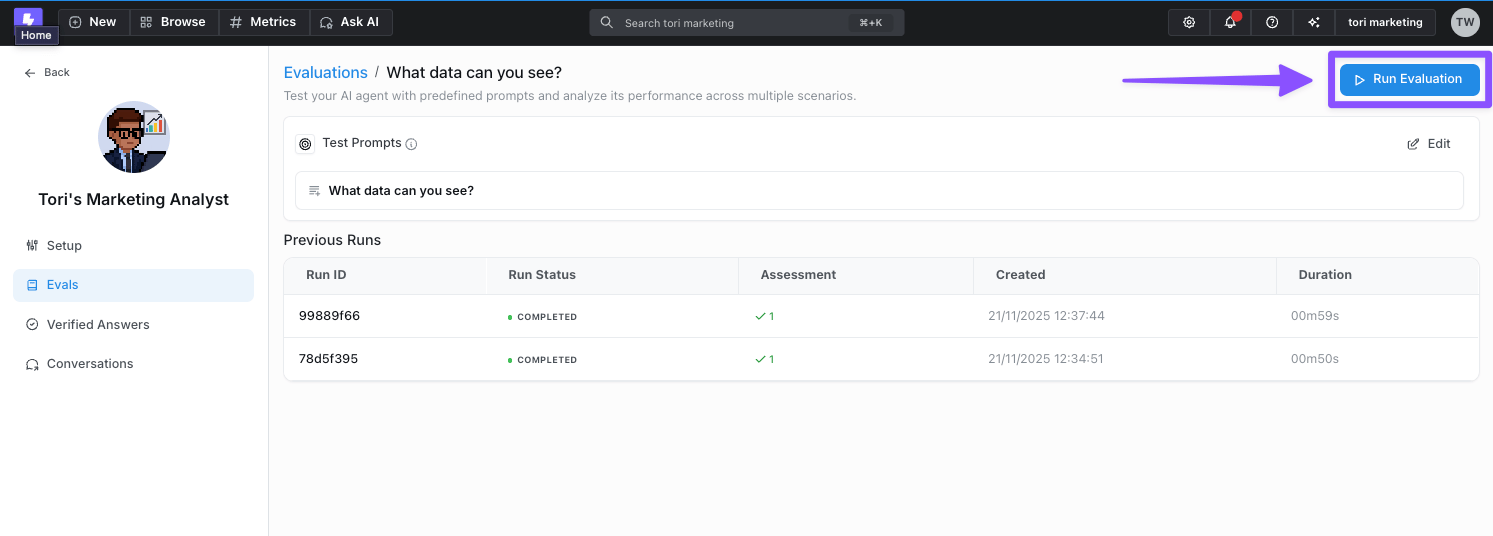
Run batch tests - Execute all prompts in your evaluation set against the agent to see how it responds
-
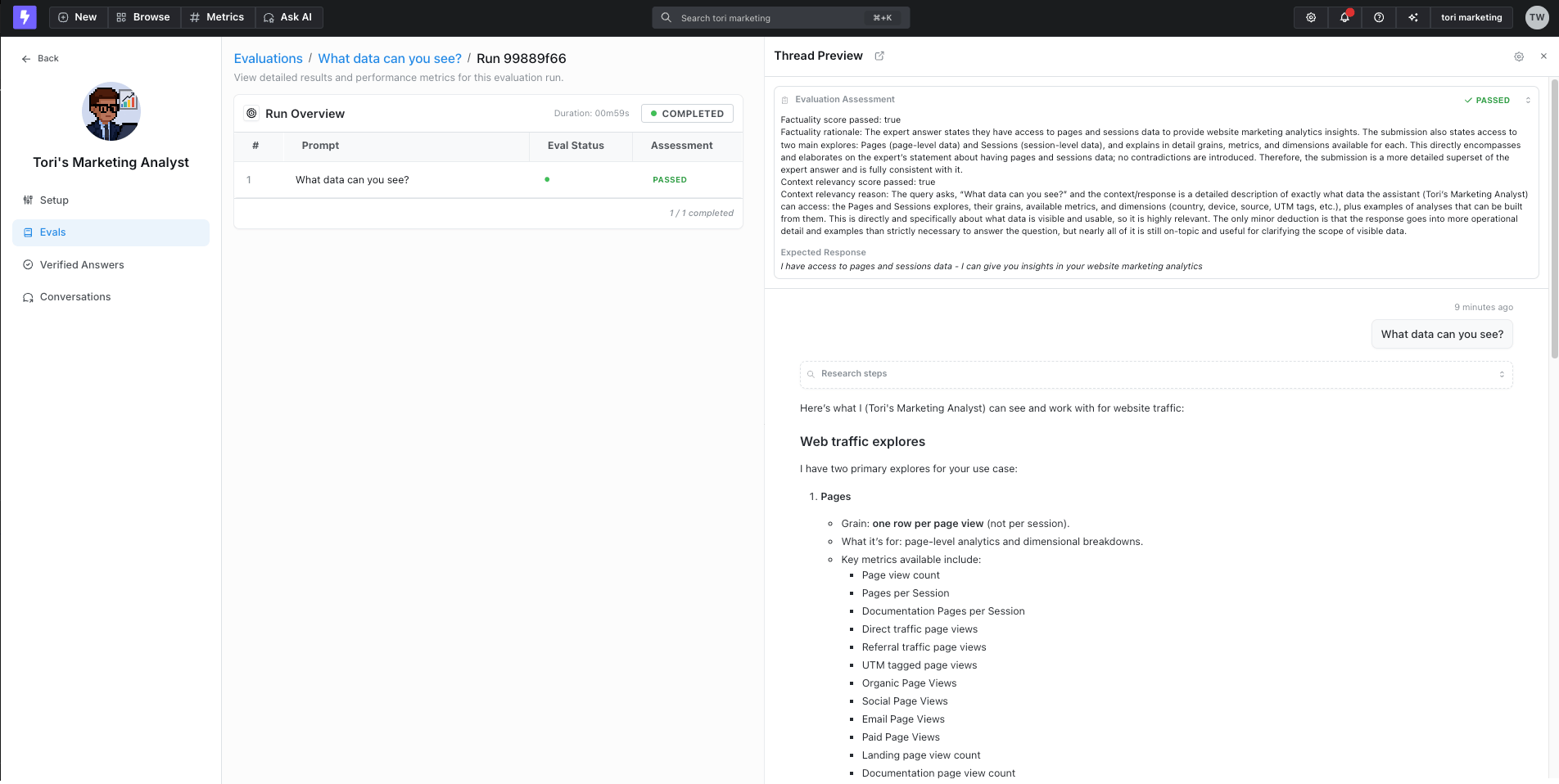
Review results - Manually review the agent’s responses to ensure they meet your quality standards and expectations. When you provide an expected response, Lightdash also runs an LLM-as-judge factuality scorer that automatically marks each result as passed or failed and shows its reasoning alongside your manual review
Writing questions and expected responses
Each evaluation prompt has two fields:- Question (prompt) — the message you want to send to the agent, exactly as a user would type it. For example,
"What's our total order revenue in 2024?". - Expected response — a short, plain-language description of what a correct answer looks like. This field is optional; leave it blank if you only want to eyeball responses manually.
What “expected response” is (and isn’t)
The expected response is not a word-for-word script the agent has to reproduce. Under the hood, when a run completes, Lightdash sends the question, the agent’s actual response, and your expected response to an LLM-as-judge that grades factual consistency, ignoring differences in style, grammar, and punctuation. The judge decides whether the agent’s answer is a subset, superset, exact match, contradiction, or an unimportant difference — and only the first three count as a pass. Because of that, the most effective expected responses are:- Short and factual. Describe the key facts, numbers, or behaviour the answer must include — not the full sentence you’d like to see.
- Focused on content, not phrasing. Style, tone, and wording are ignored by the scorer.
- Specific about numbers when you know them. If a metric should return
1,189.60, put that value in the expected response so the judge can check for it. - Descriptions of behaviour when there’s no single “right” number. For open-ended or ambiguous questions, describe what the agent should do (e.g. “asks for clarification”, “returns a bar chart broken down by payment method”).
Examples
Concrete question / expected response pairs you can adapt: Specific metric with a known valueQuestion
Expected response
Question
Expected response
Question
Expected response
Question
Expected response
Question
Expected response
Question
Expected response
Using feedback to improve evaluations
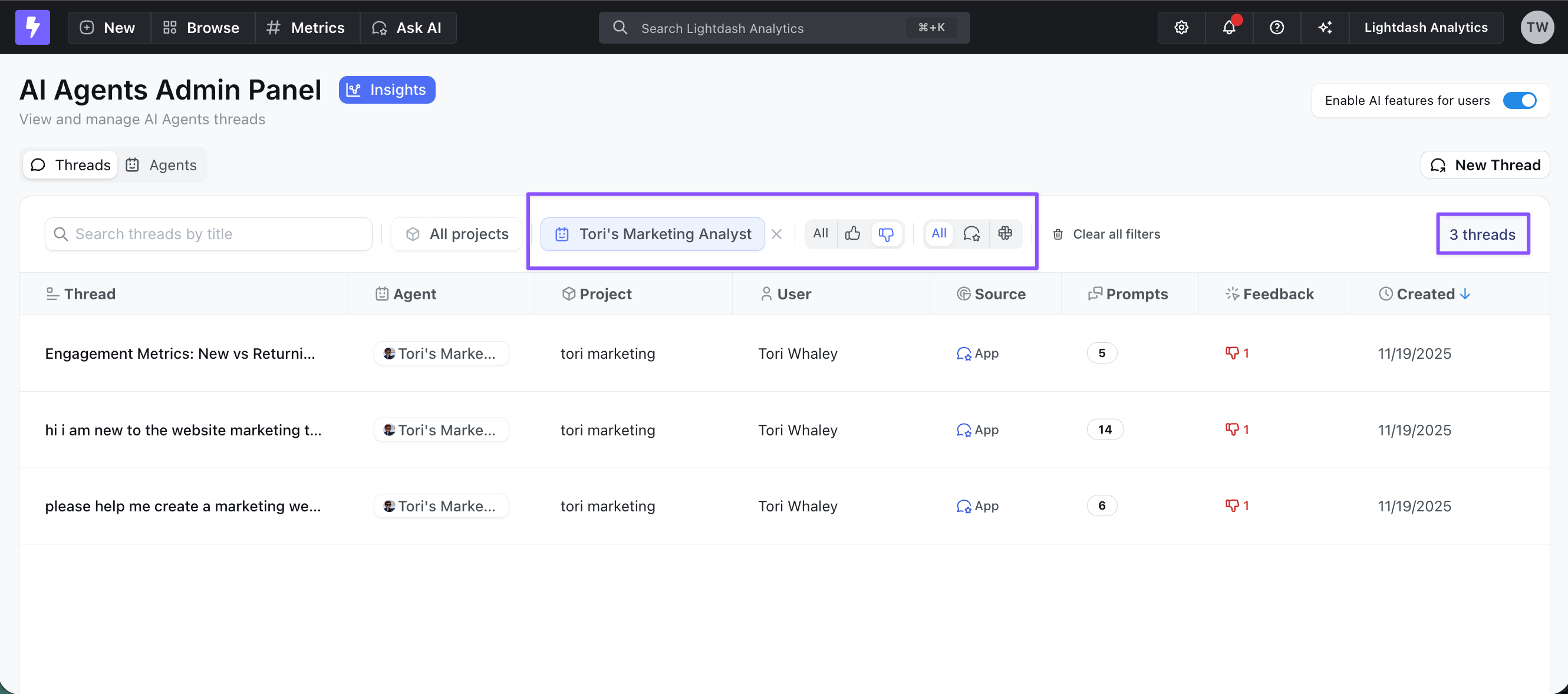
Encourage your team to actively use the thumbs-up/thumbs-down feature when interacting with AI agents. This feedback helps admins in two key ways:- Identify improvement areas - Thumbs-down responses highlight where the agent needs work
- Build better evaluation sets - Filter and easily add thumbs-down responses to your evaluation suite to test fixes and prevent regressions
- Verify agent performance before deploying changes
- Ensure consistency across common queries